



6.4
AggreGate 6.4: Build IoT Solutions Faster at Lower Cost
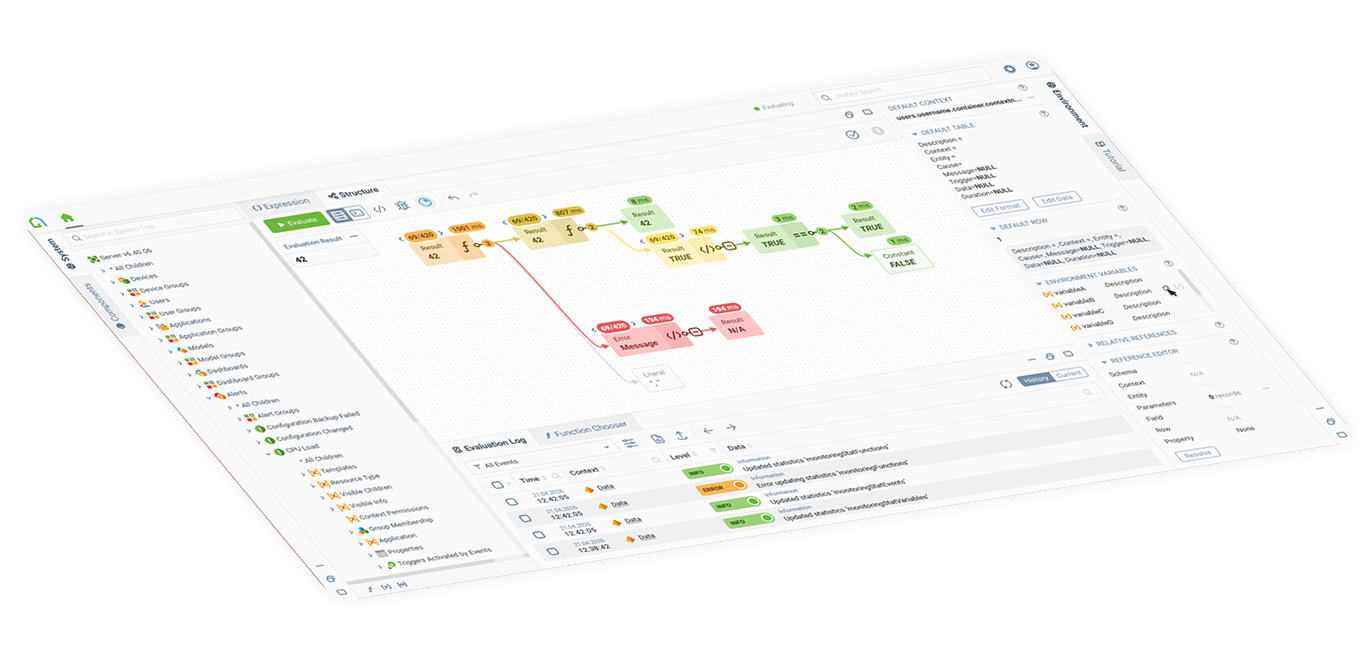
AggreGate 6.4 Release Notes
Message From the Team: Making of Release 6.4
Dear partners and clients,
This release took us three years to complete. ⬇️
When version 6.3 was released in 2023, we knew the platform wasn’t where it needed to be. Performance, usability, and overall experience were limiting what you could achieve -- especially when it came to reducing development cost and delivering IoT and IIoT solutions faster.
So we made a decision: no new features until we fix what truly matters.
Over the past three years, we focused on improving the foundation of the platform -- stability, performance, and developer experience.
Today, we can confidently say: we are releasing a version without any known critical issues.
We resolved over 3,000 issues, significantly improved performance across the platform core and Web UI, and redesigned key low-code development workflows.
This release is about making AggreGate work the way it should have from the start.
And now — we’re ready to move forward again to prepare our next big release. Spoiler alert: there is going to be a lot of news regarding AI! 🙂

What's New in Release 6.4?
AggreGate is a low-code Internet of Things platform designed for the development, deployment, and operation of a wide range of IoT products, solutions, and services. Hundreds of Russian enterprises rely on it to unify disparate devices, controllers, databases, and corporate systems into a single, manageable architecture.
For version 6.4, we focused directly on our partners' most requested features. The platform now acts as a native OPC UA server, connects directly to Siemens S7 controllers (no need for extra OPC middleware anymore), and fully supports MQTT v5, live-data spreadsheets, and multi-factor authentication. On top of that, you can finally design massive HMIs for video walls without spending 80% of your time debugging expressions.
New HMI & SVG Editor
AggreGate 6.4 introduces a new editor for complex mimic diagrams and SVG-based visualizations.
What's new:
It is designed for large-scale industrial systems: energy networks, city-wide pipelines, building infrastructure, production lines, and other complex assets.
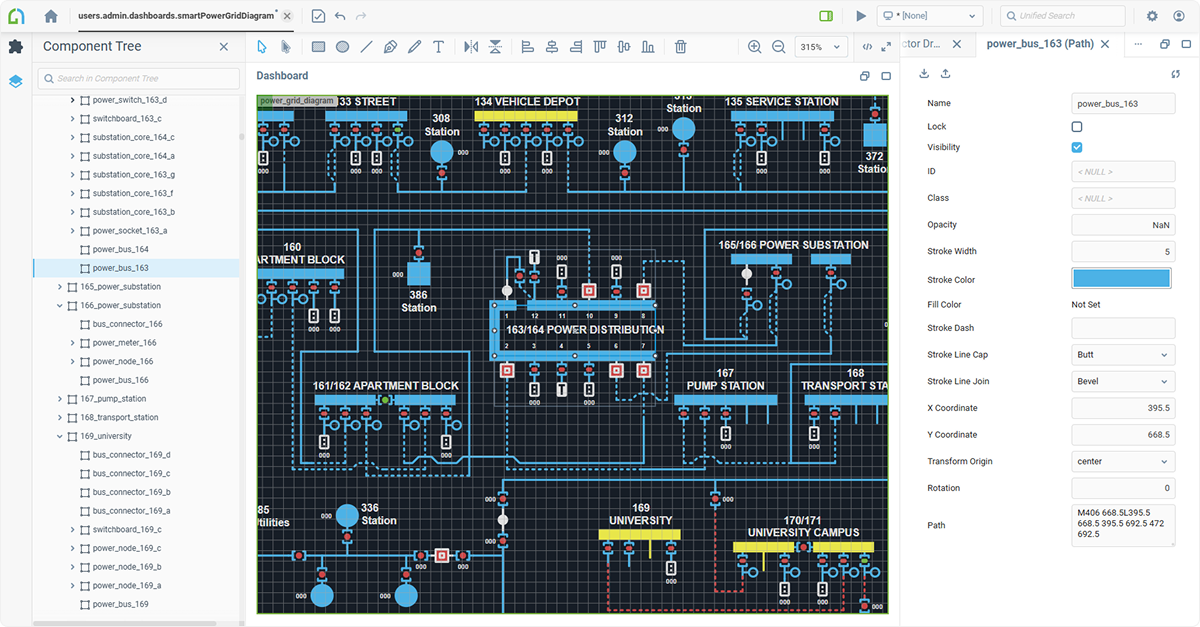
The new editor supports diagrams with thousands of symbols and connections and is suitable for video walls and ultra-high-resolution displays.
- Higher rendering performance
- Support for large and complex mimic diagrams
- Improved symbol templating
- Enhanced data bindings
- Visual editing hints
- Group operations for graphical primitives
- Hotkeys and usability improvements
New Expression Editor and Debugger
Expressions are one of the core elements of AggreGate-based solution development. They connect system components, transform data, automate logic, and power low-code workflows.
In many projects, writing and debugging expressions used to take a significant share of development time.
What's new:
AggreGate 6.4 introduces a redesigned expression editor and debugger that helps developers identify errors faster, understand how expressions are calculated, and find performance bottlenecks.
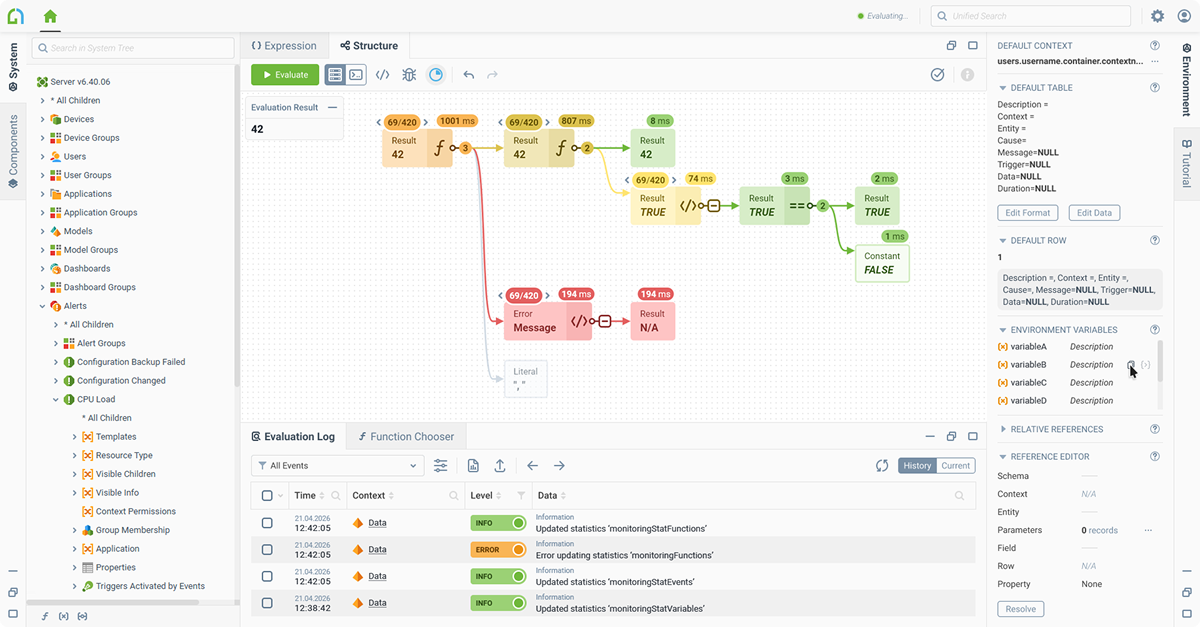
Key capabilities:
- Visual representation of expressions
- Step-by-step calculation results
- Performance visualization for individual operations
- Error source detection
- Mapping between expressions and data model entities
- Detailed calculation logging
- Debugging of nested and linked expressions
- Access to external and session variables during execution
- Improved debugging for dashboards, models, classes, and processes
This helps partners reduce development time and lower overall project cost.
Built-in Spreadsheets With Real-Time Data
AggreGate 6.4 introduces a new built-in spreadsheet component.
What's new:
It works similarly to Excel or Google Sheets, but is fully integrated into the AggreGate platform. Spreadsheet formulas are based on the AggreGate expression language and have real-time access to the unified data model, including historical data and access control policies.
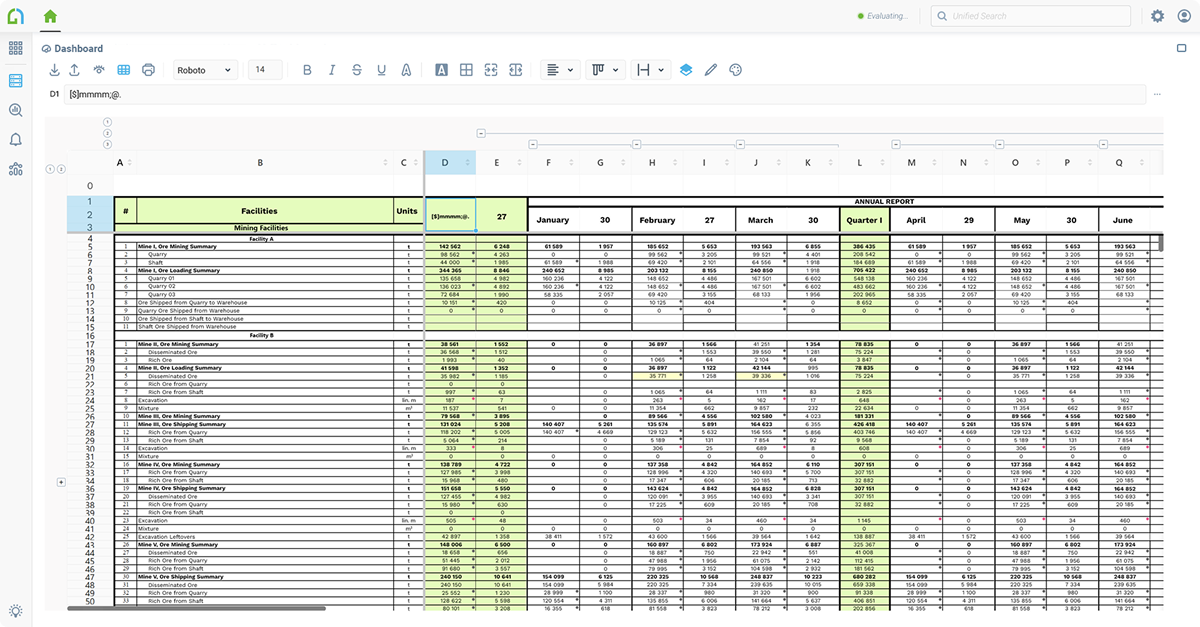
This makes spreadsheets suitable for MES, reporting, planning, accounting, and other industrial and enterprise use cases.
Key capabilities:
- Server-side formula calculation in real time
- Access to live and historical platform data
- Excel import and export with formula conversion
- Cell and border formatting
- Ranges and references
- Absolute and relative links
- Merged cells
- Row grouping and sorting
- Conditional formatting
- Autofill
- Cell value directories
- Support for spreadsheet-based printed reports
All formulas are calculated on the server, making the component suitable for complex multi-user systems with large volumes of data.
Centralized TLS/SSL and Authorization Management
AggreGate 6.4 introduces centralized management of TLS/SSL connections across the platform.
What's new:
A unified certificate storage allows platform modules and components to use a consistent security model for communications with devices, users, and external systems.
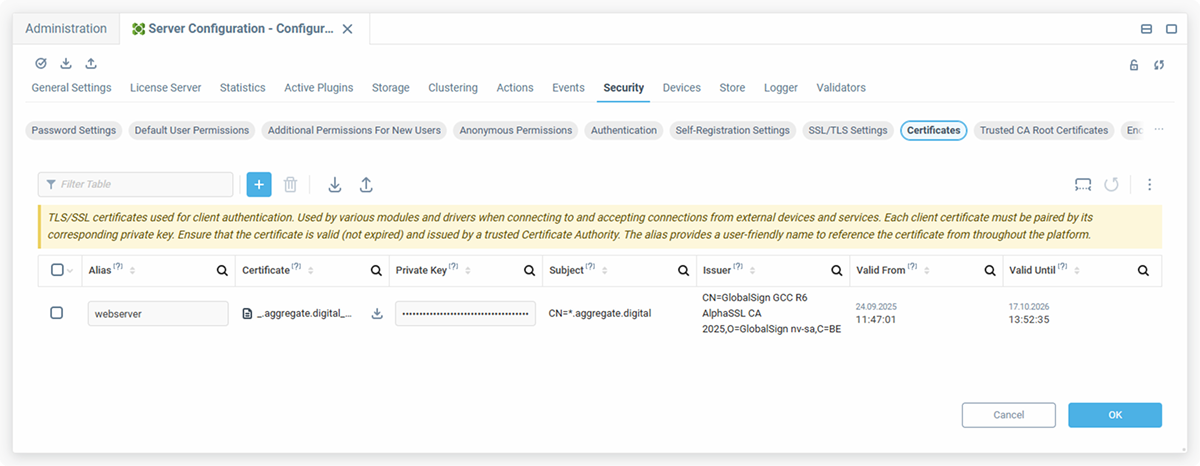
This reduces configuration effort and helps minimize the risk of incorrect secure connection setup.
Web-Based Report Editor
Printed reports can now be created directly in the Web UI editor.
What's new:
The new report layout supports standard printed document structures, including title pages, final pages, headers, footers, and other report-specific elements.
This eliminates the need to use a separate desktop reporting tool while preserving the capabilities required for complex printed forms.
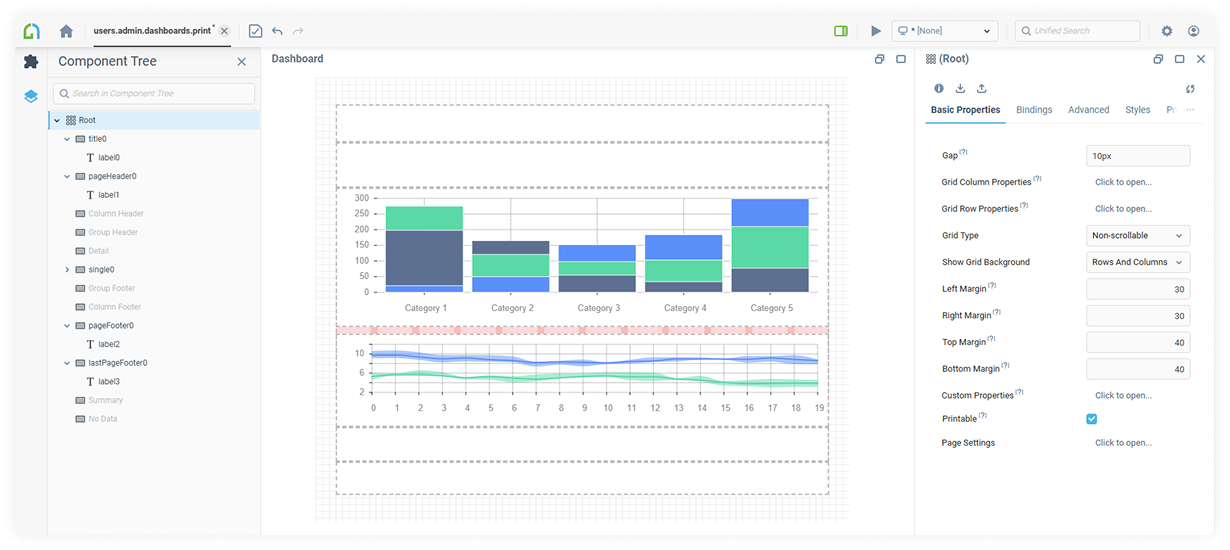
The legacy JasperReports-based reporting module will be deprecated in future versions.
Model Inheritance
AggreGate 6.4 introduces model inheritance.
Whats new:
Developers can now build not only hierarchies of instances, but also hierarchies of models. A child model inherits variables, functions, and events from the parent model while allowing developers to add custom entities.
This brings more structure, reuse, and flexibility to low-code solution development.
Native Siemens S7 Driver
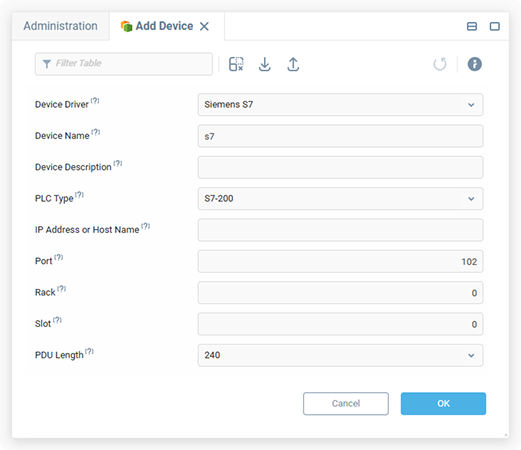
AggreGate 6.4 supports direct communication with Siemens SIMATIC controllers via the native S7 protocol.
What's new:
This allows SCADA-class systems to be built on top of Siemens PLCs without intermediate OPC servers.
For customers using Siemens equipment, this means simpler integration, fewer components, higher reliability, and potentially better performance.
Native OPC UA Server
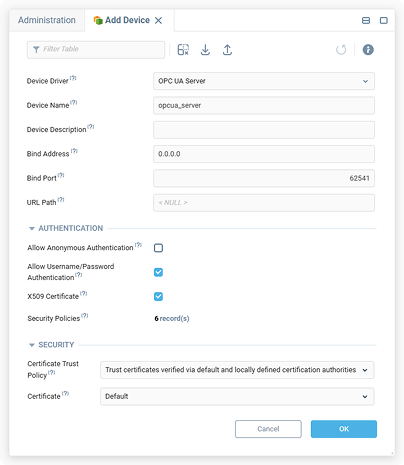
AggreGate can now act as an OPC UA server.
What's new:
External systems can connect to AggreGate servers, access platform data, subscribe to events in the unified data model, and perform control operations by calling context functions.
This makes AggreGate easier to integrate into existing industrial automation architectures.
BACnet Alarm Management
The BACnet driver now supports receiving and acknowledging alarms from devices.
What's new:
This expands the capabilities of AggreGate Platform for managing large buildings, facilities, and infrastructure complexes.
MQTT v5 Support
What's new:
AggreGate 6.4 adds support for MQTT v5.
This modern version of the protocol improves scalability, error handling, and flexibility for IoT and IIoT data exchange scenarios.
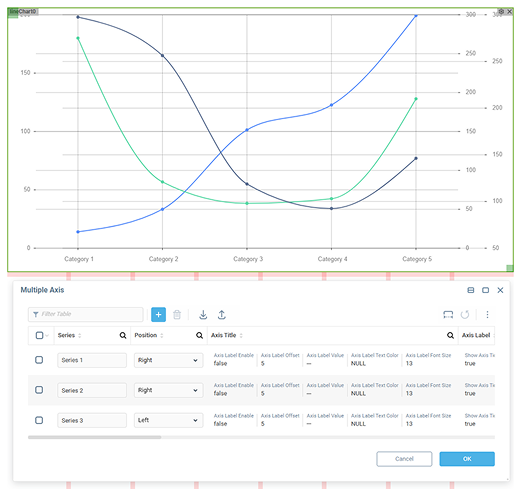
Multi-Axis Charts
What's new:
Charts and diagrams in AggreGate can now include multiple vertical axes.
This makes it possible to display related data series with different units of measurement on the same chart — for example, temperature and pressure.
Multi-Factor Authentication (MFA)
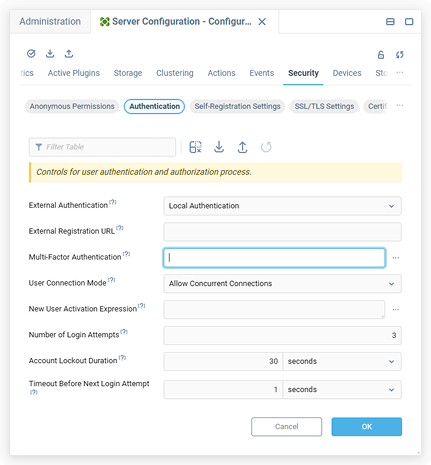
AggreGate 6.4 adds flexible support for multi-factor authentication.
What's new:
After the first standard authentication step, the platform can launch a custom user process that includes any UI procedures and logic.
This enables authentication via SMS, email, push notifications, TOTP, or other custom mechanisms.
Event-to-Variable Conversion at the Driver Level
What's new:
The platform core can now convert event streams into dynamic variables.
This is especially useful for protocols such as MQTT, Kafka, and similar event-based data sources.
For low-code developers, working with variables is often more convenient than working directly with event streams: each variable can store history and provide a current value based on the latest event.
High-Precision Math Support
AggreGate 6.4 adds an optional high-precision mode to the expression language.
What's new:
This mode helps eliminate rounding errors in calculations where precision is critical — for example, in industrial, financial, or other sensitive data processing scenarios.
High-precision mode can be enabled where needed, with a minor performance trade-off for the selected calculations.
Custom Actions for Variables & Events
What's new:
Developers can now add custom actions to the context menus of variables and events.
For example, a user can right-click a variable and launch a custom UI process directly from the standard platform interface.
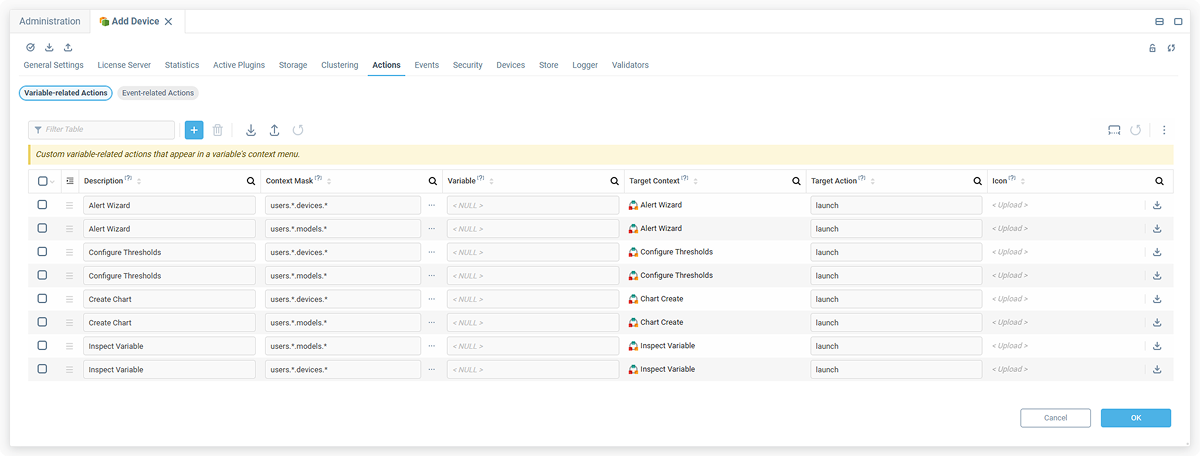
This reduces the need for complex interface customization and makes workflows more convenient for end users.
AggreGate 6.4 also includes more than 50 additional features, improvements, and usability enhancements across the platform.
Download AggreGate Platform 6.450+
Additional Features and Usability Improvements